DISPLAY VISIONS HMI Modules Combine Touchscreens with Modbus Master Control
DISPLAY VISIONS’ HMI modules combine touchscreen interfaces with Modbus master/client operation for compact automation systems, across five screen sizes.
For a compact machine or control station, a separate programmable logic controller can add hardware and configuration work that the application may not need. DISPLAY VISIONS’ HMI modules combine an operator display with PLC-like control functions, allowing the display to manage connected sensors and input devices directly in smaller automation systems.

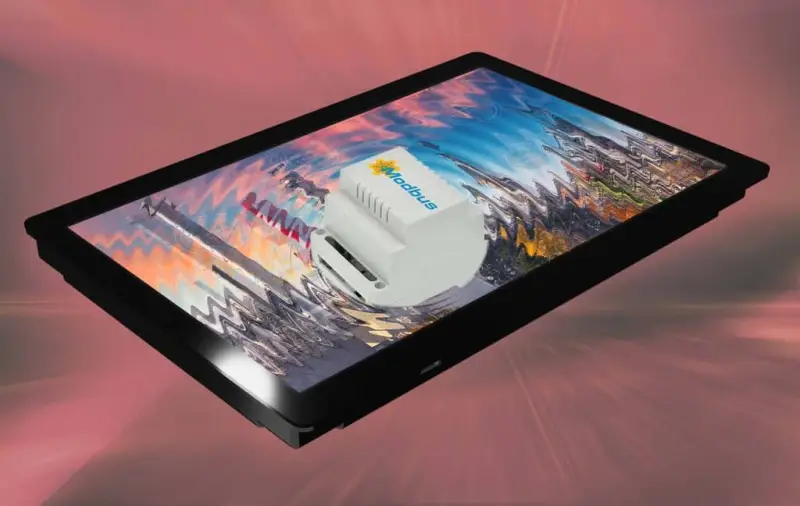
The key difference is how these modules communicate. A conventional HMI often operates as a Modbus RTU or Modbus TCP slave or server, with a PLC running the control logic and directing communication. These modules can instead act as a Modbus master or client. That mode lets them initiate communication with connected devices, so they can handle some tasks that would otherwise sit in a separate controller.

Where the integrated approach fits
The intended application is a small automation system in which a full PLC based architecture could add unnecessary complexity or cost. Bringing the operator interface and device management together can reduce the number of separate components in the system. It may also make installation and maintenance more straightforward, since fewer devices need to be mounted, wired and configured.

That arrangement shifts some design work into the HMI. The display must serve both as the point where an operator views and enters information and as the communication master for the devices it manages. For a system with a modest scope, this may be a useful consolidation. The available details do not specify processing limits, supported device counts, response times or the range of control functions, so engineers will need to confirm that a particular application fits the module’s capabilities.
The series is offered with five display sizes, from 2.8 inches to 12 inches. DISPLAY VISIONS describes the touchscreens as high resolution and high brightness. The range gives designers options for different panel layouts and operator viewing needs, though no pixel counts, brightness figures or environmental ratings are provided.
Communications and connected equipment
Communication options listed for the displays include RS-485, LAN and Wi-Fi/WLAN. The modules support Modbus RTU and Modbus TCP, giving system designers a choice of serial and network based connections. The product information describes direct connection to sensors and other devices, as well as compatibility with programmable controllers from Allen-Bradley, Beckhoff, Mitsubishi, Rockwell, Schneider Electric and Siemens.

Compatibility is also listed for smaller control systems, including Arduino and Eaton easyE4. Those examples point to a broad range of potential installations, from compact equipment using a small controller to systems that exchange data with established PLC platforms. The presence of a supported protocol does not by itself establish that every device or configuration will work; engineers still need to check the connected equipment’s communication settings and requirements.

For a new design, the practical questions are whether the HMI can communicate with all required devices, whether its master/client operation covers the intended control tasks, and whether the selected screen size suits the panel and operator. If the system already uses a PLC, the listed controller compatibility may help with integration, but the available information does not describe specific wiring arrangements or configuration limits.
Application design software
DISPLAY VISIONS offers HMI-Designer software at no cost for developing applications. The company describes it as a WYSIWYG tool, meaning that the designed interface can be viewed in a form that reflects its intended appearance. Users can create custom screen content and control functions for their application.
That flexibility matters because the display is doing more than presenting values: in master/client mode it also participates in device management. A project therefore needs an interface that supports the operator’s work and a configuration that matches the connected sensors and equipment. The supplied information doesn’t detail the software’s programming model, supported data types or diagnostic features, so those points need checking during evaluation.
The displays are designed and produced in Germany. DISPLAY VISIONS also says its development and support team can provide technical assistance. For engineers considering this approach, the useful next step is to compare the system’s communication and control requirements with the specific module and software documentation. The combination looks best suited to compact installations where direct Modbus device management can replace a separate controller without exceeding the application’s needs.
 Choosing Single, Double, Welded Flap and Repair Keder for Fabrication
 Houston Engineering Team Builds a Welcoming Golf Tournament at East River 9
 MIG Transfer Modes: Choosing Between Short Circuit, Spray and Pulse