Eight Raspberry Pi Self-Hosting Projects for Replacing Subscription Services
A Raspberry Pi can host alternatives for gaming, file storage, media, documents and more, with trade-offs in setup, ownership and reliability.
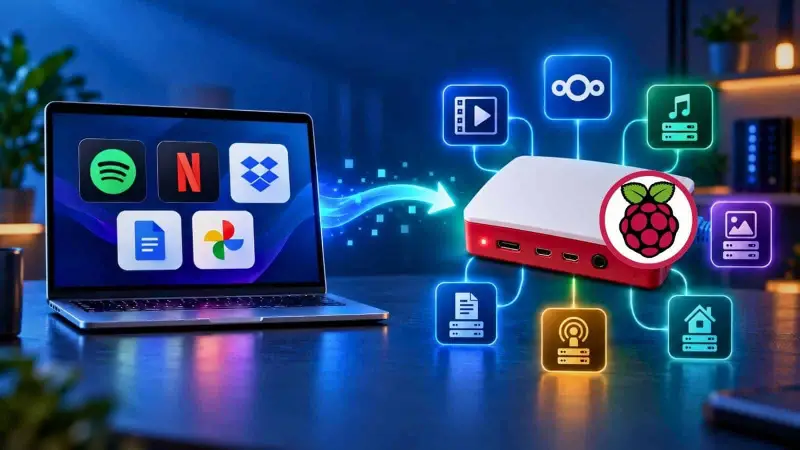
A Raspberry Pi can take over some jobs usually handled by paid cloud services: streaming games from a PC, organizing photos, serving documents and hosting media. The appeal is practical as well as financial. Your files and services can stay on your home network, and you choose what runs on the system. The trade-off is that you take responsibility for setup, storage, backups and upkeep.
These projects vary widely in effort. Some are lightweight services you can run in a container; others depend on a separate computer, extra hardware or a collection of software. Here are eight subscription categories where a Pi can provide a useful alternative, along with the limits that matter when deciding what to host.
Stream games from a PC
Cloud gaming makes games available on a TV without a console, but access depends on an active subscription and the service’s available catalogue. A Raspberry Pi can instead act as a client for games running on a gaming PC you already own.
Install Sunshine on the PC and Moonlight on the Pi. The PC renders the game; the Pi receives the video and sends player input back across the network. That division lets the more powerful machine handle the demanding work while the Pi connects to a television. Games installed on the PC, including titles accessed through Steam, can then be played from the couch without relying on a TV’s built-in app.
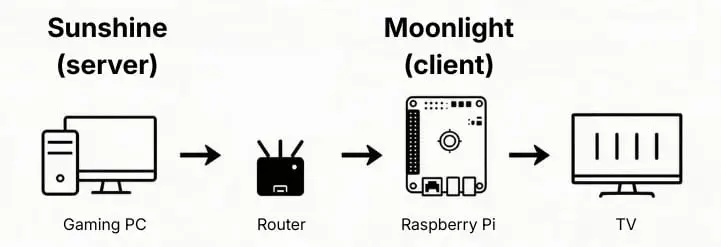
Network quality has a direct effect on responsiveness. Ethernet at each point in the connection is the recommended choice; Wi-Fi may be adequate for games where a small delay matters less, such as turn-based role-playing games. A controller can connect to the Pi, including an 8Bitdo Pro. The Moonlight installation guide for Raspberry Pi 4 describes the client setup.
Edit PDFs on your own network
PDF editing is another job that needn’t require a recurring software fee if the tools you need are basic. BentoPDF provides common PDF operations through a web interface and can run on a Raspberry Pi. It doesn’t match every advanced feature in Acrobat Pro, but it may cover routine editing and signing needs.
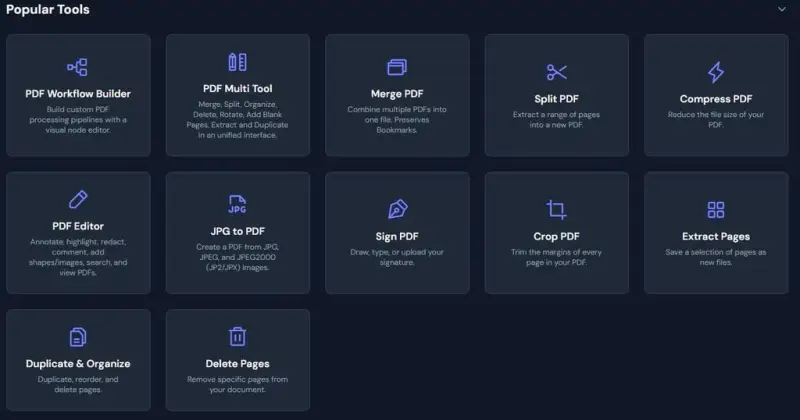
Running the service locally also keeps documents on your network while you work with them. One deployment option is Docker: the project’s GitHub repository has a quick-start guide, and the setup described uses a port setting. Whether this replaces a paid editor depends on the features required; teams that rely on specialized PDF workflows should check those needs before switching.
Host files as a private cloud
A home file server can give devices on your local network a shared place to reach documents and other files. For a simple browser-based interface, FileBrowser Quantum presents a graphical file manager in a webpage. Its setup documentation offers Linux and Docker paths that can be used with a Raspberry Pi.
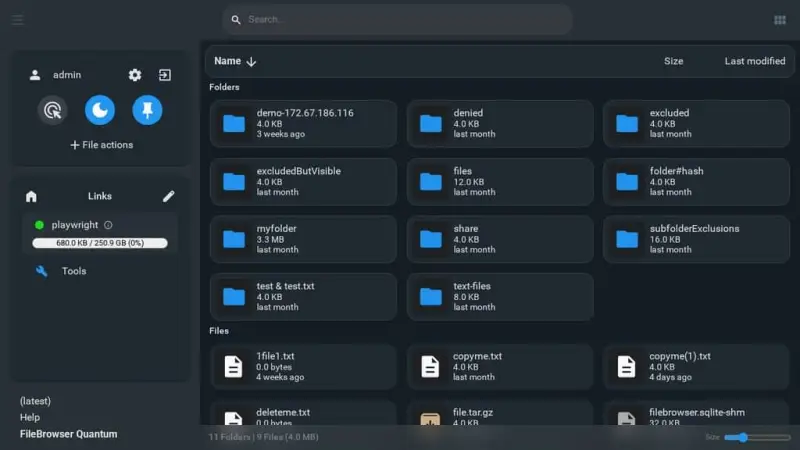
Other tools suit different priorities. Syncthing is a more minimalist option for synchronizing files between devices, while Nextcloud offers a broader set of features. Whichever approach you choose, a Pi holding the only copy of important files is a weak substitute for a cloud service with redundancy. Set up a separate backup routine; rsnapshot is one option for incremental backups.
Local hosting also changes how you reach the files: access across devices on your home network is straightforward, while use from outside the home needs additional configuration. The choice is therefore not just about storage. It’s about deciding how much access, maintenance and data protection you want to manage yourself.
Build a home media server
A media server can consolidate video and audio for playback around the home. On a Raspberry Pi, software such as Jellyfin, Plex or Kodi can provide the interface, but the content still has to come from somewhere: your own media collection, connected services or plugins. A TV tuner can also provide access to additional free channels, depending on the tuner and available broadcasts.
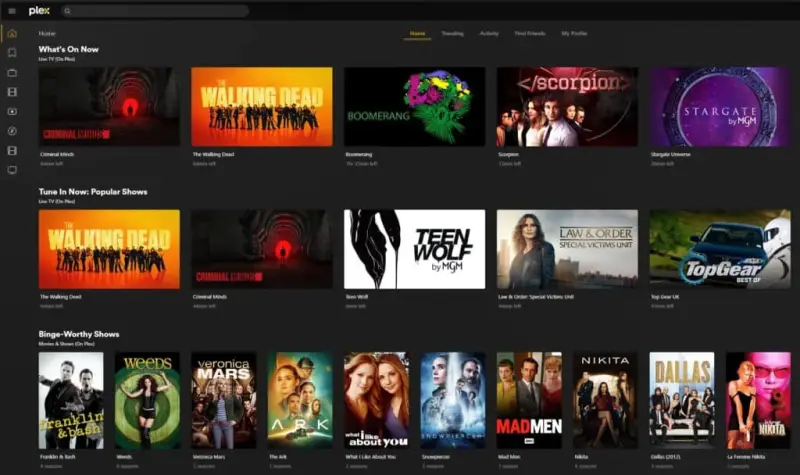
The software choice depends on how you plan to watch. Kodi is suited to turning one display into a media center. Jellyfin and Plex are designed to serve media from a central machine to other devices on a home network. A media-center guide compares the general setup, and the OSMC and LibreELEC comparison focuses on Kodi-based systems.
This approach can reduce the number of separate subscriptions needed to fill a household’s viewing schedule, but it doesn’t automatically provide every show or channel. The content source and the server’s compatibility with playback devices determine what the setup can actually deliver.
Serve a music library with recommendations
Subscription music services combine playback with recommendations based on listening history. A self-hosted setup can recreate parts of that experience, but it starts with music you can access yourself rather than a built-in catalogue.
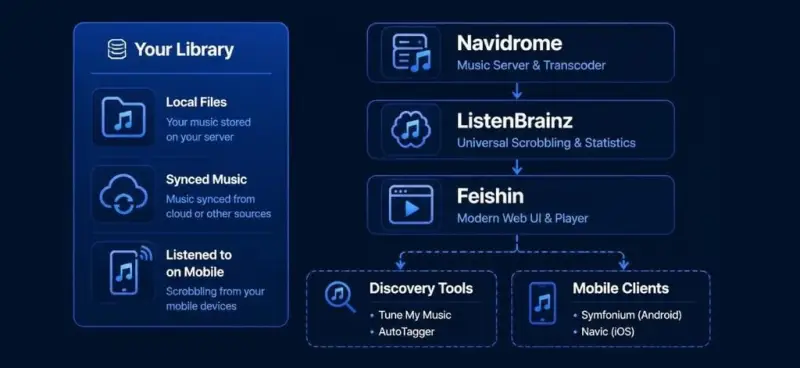
The suggested arrangement has three components: Navidrome serves the music library from the Pi, ListenBrainz records listening activity and supports recommendations, and Feishin provides a client for listening on other devices. With a library to analyze, this combination can generate playlists from listening patterns. Internet radio plugins offer another route to discovering music.
The main constraint is the catalogue. You’ll need to supply your own music or connect to other people’s servers; the Pi doesn’t replace a subscription’s licensed collection. That makes this a good fit for listeners with a library they want to organize and play across devices, rather than anyone expecting the same catalogue and discovery experience out of the box.
Organize audiobooks, ebooks and podcasts
Audiobookshelf is built for spoken-word and reading collections. It can synchronize listening or reading progress between devices, associate an audiobook with its text, sort books and podcasts, and retrieve cover images. For podcasts, it can check RSS feeds and download new episodes regularly.
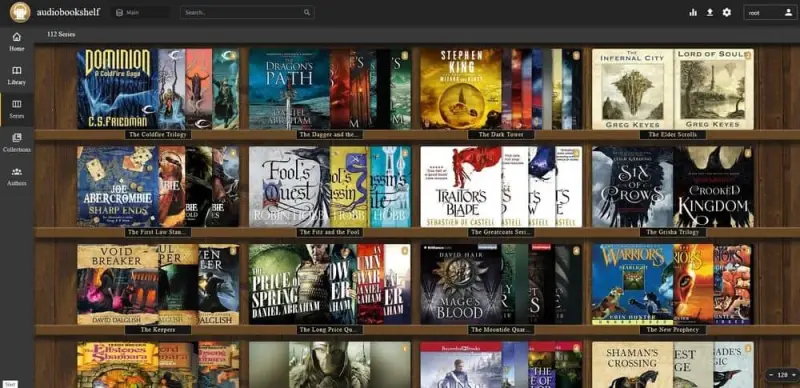
Because the library is hosted on your own equipment, the files you add remain under your control, and access doesn’t depend on keeping a particular subscription active. The software is free; content still needs to be sourced separately. Installation options are listed in the Audiobookshelf documentation. Docker is the suggested route for Raspberry Pi, with the relevant processor architecture in mind.
Use a Pi in a home phone system
A Raspberry Pi can route calls from a voice-over-IP number to a conventional telephone handset, which may suit a home office or household that wants a separate phone. The setup combines a phone number from a provider, call-routing software and an adapter for the handset.

The example uses Asterisk to route calls and an analogue telephone adapter, or ATA, to connect the digital service to a physical phone. A number from a provider such as VoIP.ms is estimated at about $1 per month. The source compares that with $30–$65 per month for a single traditional landline; the ATA is a one-time hardware purchase.
This is one of the more involved projects here. The setup may need more maintenance than expected, so the cost comparison depends on the hardware price, ongoing number fee and time spent keeping the system running. It also has two significant limitations: it cannot provide the specialized emergency-call routing of a traditional landline, and it won’t work through a power outage. Those differences matter when deciding whether it’s appropriate for a household.
Run an office suite locally
For document work, ONLYOFFICE Docs can run on a Raspberry Pi and make its apps available to computers and mobile devices on the local network. Its support for Microsoft Office file formats is a practical reason to consider it where existing documents need to remain compatible.
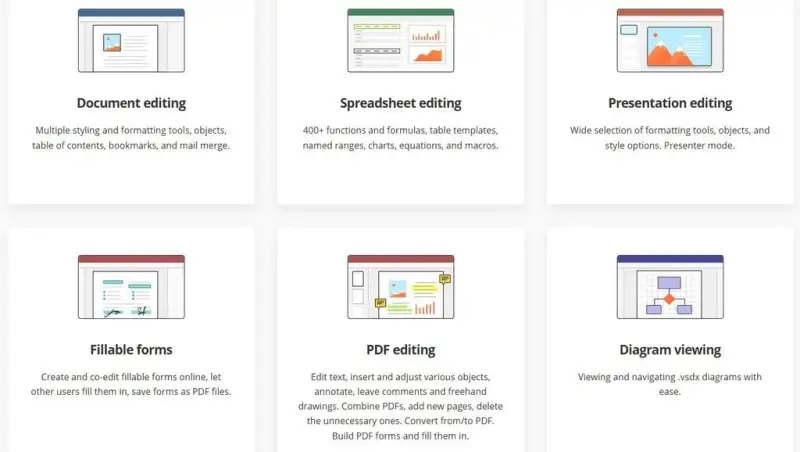
Deployment instructions and download options are available from the ONLYOFFICE Docs page; the Raspberry Pi setup should follow the ARM64 instructions. Hosting the suite locally gives devices on the network a shared place to work, but it also makes the Pi part of the document workflow. Check compatibility with the formats and features your work depends on before moving established processes over.
Back up and browse photos locally
Immich is a self-hosted photo organizer that can back up images from mobile devices and make a growing collection easier to browse and search. Its image organization features use automated analysis, and the software has no paywall limit on storage or user count.
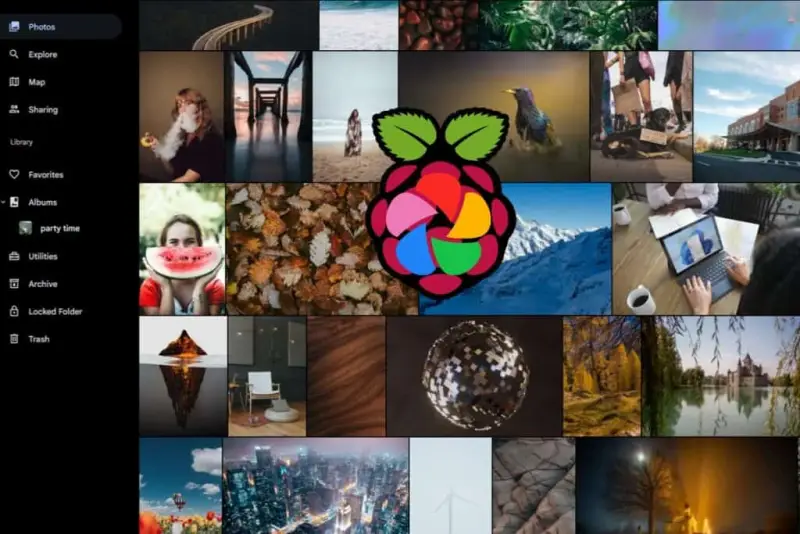
A local photo library avoids tying its storage to a shared cloud quota, but it doesn’t remove the need to manage capacity. Photos matter only if they remain accessible, so plan for backups and enough storage as the collection grows. A Raspberry Pi can host the service, while the connected storage and backup plan determine how well the system handles a large archive. The Immich Raspberry Pi setup guide covers installation.
The common thread across these projects is control: a small computer can host useful services at home, but the owner takes on the work of maintaining them. Start with one service that fits your devices and collection, then account for storage, backups, network access and support before shifting more of your daily workflow onto the Pi.
 Choosing Single, Double, Welded Flap and Repair Keder for Fabrication
 Houston Engineering Team Builds a Welcoming Golf Tournament at East River 9
 CNC Steel Machining: Material Grades, Processes and Quality Factors